🔒 Want true browsing privacy? Running Firefox Docker Raspberry Pi gives you an isolated, secure browser that leaves zero traces on your main computer. All your cookies, history, and browsing data stay safely inside a disposable container – never touching your personal or work machine.
🛡️ Why Firefox Docker Raspberry Pi for Personal Security
Your main browser stores everything: passwords, cookies, history, cached data. A Firefox Docker Raspberry Pi setup gives you complete separation:
- 🚫 Zero traces on your computer: All cookies, history, and cache stay inside the container – your main PC remains completely clean
- 🔐 Isolated browsing environment: Complete separation between your regular browsing and private sessions
- 🗑️ Disposable sessions: Destroy the container and everything disappears – no forensic traces
- 🔌 Install any extension: VPNs, ad blockers, password managers – no restrictions
- 🌐 Access from anywhere: Your private browser available via web interface
💡 Bonus: This setup also lets you bypass corporate network restrictions – your network only sees a connection to your domain, not what you actually browse inside.
🧩 Install Any Extension You Want
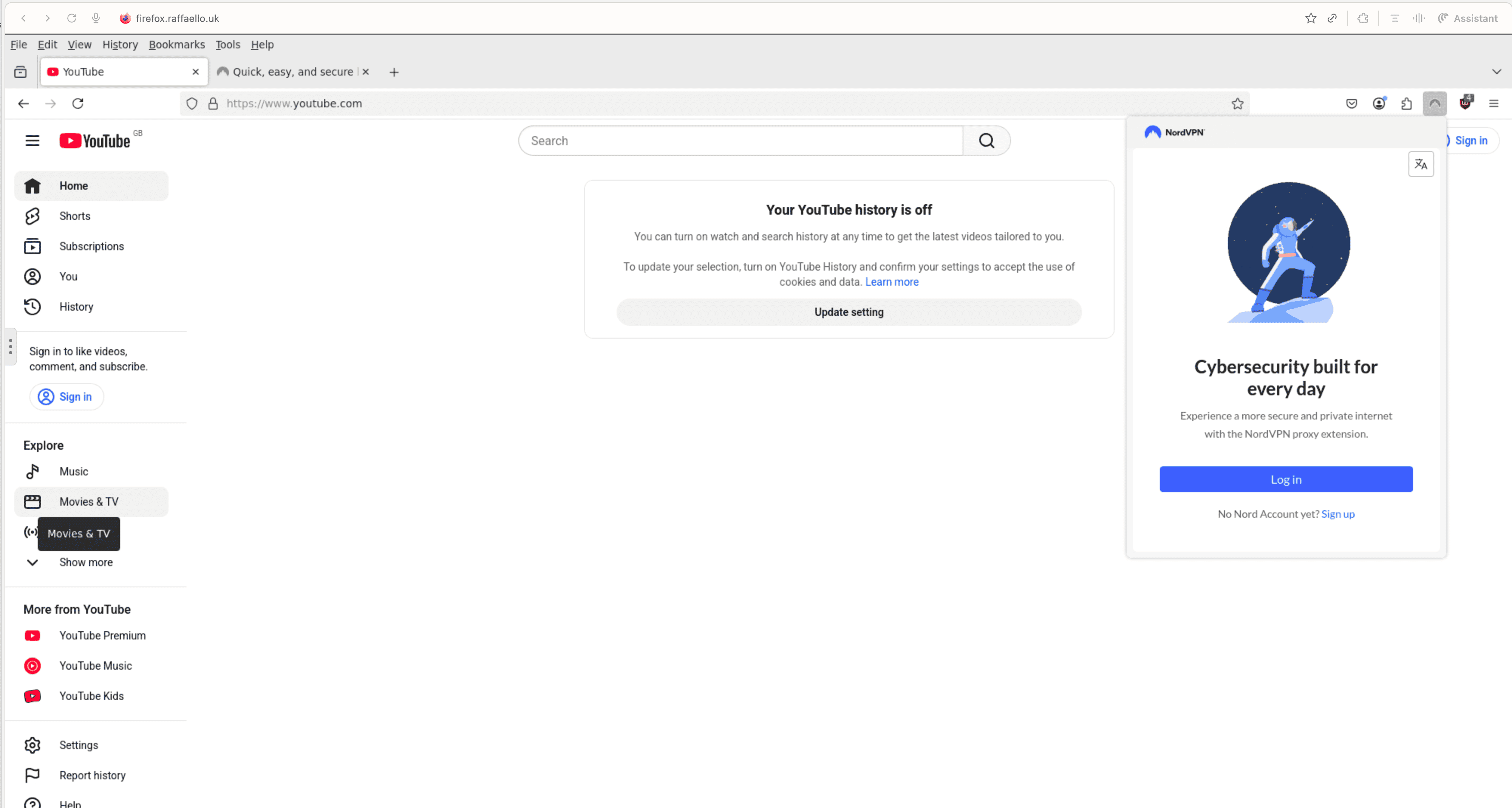
In your Firefox Docker Raspberry Pi browser, you can install any extension:
- 🔒 NordVPN / ExpressVPN / ProtonVPN: Hide your traffic even from your ISP
- 🛑 uBlock Origin: Block all ads and trackers
- 🔑 Bitwarden / 1Password: Separate password manager from your main browser
- 📱 Facebook Container: Isolate social media tracking
- 🦡 Privacy Badger: Automatic tracker blocking
🍪 No Cookies or History on Your Main Browser
This is the key Firefox Docker Raspberry Pi advantage: complete separation. When you browse in the container:
- ✅ Zero cookies saved on your main computer
- ✅ No browsing history in your regular browser
- ✅ No cached images or files locally
- ✅ No autofill data exposed
- ✅ No saved passwords on your main machine
Everything stays inside the Docker container on your Raspberry Pi. Your main computer remains 100% clean. 🧹
🏗️ Security Architecture
[Your PC] --HTTPS--> [Your Network] --sees only--> firefox.yourdomain.com | [Cloudflare Tunnel - Encrypted] | [Raspberry Pi at Home] | [Firefox Container + VPN] --> Any website🔐 What your network sees: A connection to firefox.yourdomain.com
🌍 What you actually do: Browse anything with full privacy
⚙️ Docker Compose Configuration
Here is the Docker Compose file for Firefox Docker Raspberry Pi:
version: "3.8" services: firefox: container_name: firefox image: jlesage/firefox:latest ports: - 5012:5800 volumes: - /home/user/docker-data/firefox:/config environment: - TZ=Europe/London dns: - 1.1.1.1 - 8.8.8.8 restart: unless-stopped💣 Maximum Privacy: Destroy and Recreate
For maximum Firefox Docker Raspberry Pi privacy, destroy everything after sensitive sessions:
# Nuclear option - remove all traces docker stop firefox && docker rm firefox rm -rf /home/user/docker-data/firefox/* docker compose up -d🆕 Fresh browser, zero history, no cookies, no traces. Like it never happened.
🔐 Cloudflare Zero Trust Protection
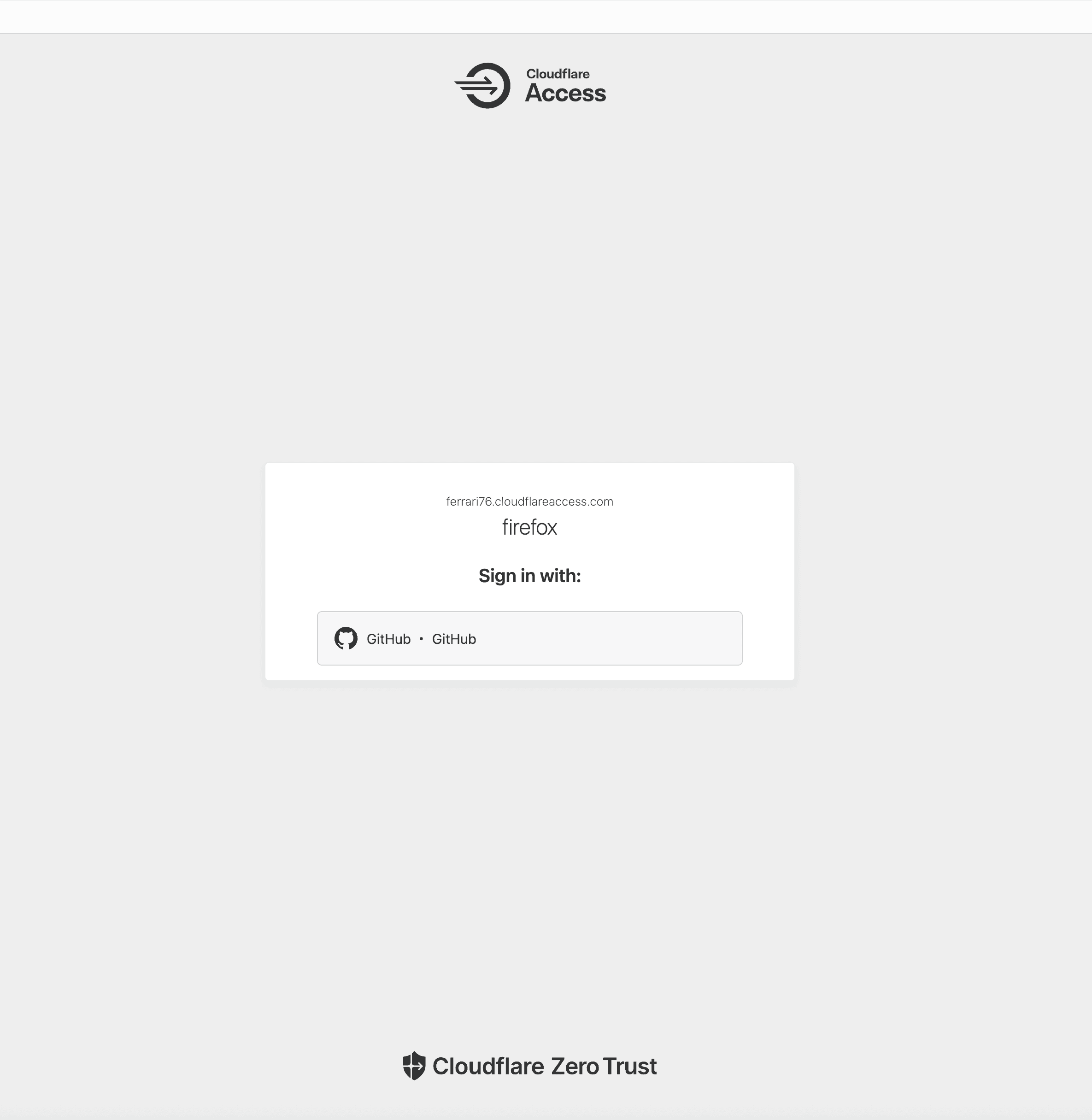
Protect your Firefox Docker Raspberry Pi with Cloudflare Zero Trust authentication. See our complete guide on exposing Docker services with Cloudflare Tunnels.
📋 Use Cases
- 🔒 Private browsing: Banking, medical research, sensitive topics – no traces
- 🤖 AI Tools: ChatGPT, Claude, Gemini – without leaving history
- 📧 Personal accounts: Gmail, social media – completely separate from main browser
- 🎬 Streaming: YouTube, Netflix with VPN extension
- 💼 Job searching: LinkedIn, job boards – privately
- 🏢 Corporate bypass: Access blocked sites when on restricted networks
🎯 Conclusion
Firefox Docker Raspberry Pi gives you what regular browsers cannot: true privacy and security. 🛡️ No cookies on your main machine, any extensions you want, and the ability to destroy all evidence instantly. Your browsing stays truly private.
Related Reading
This article was written with Claude Code CLI by Anthropic.